Showing posts with label esc. Show all posts
Showing posts with label esc. Show all posts
Tuesday, September 23, 2014
Turnigy dlux esc 160a manual
HV esc 160a turnigy dlux User manual

Programming Controller
Before you start do the setup of this esc the previous controller must be connected to the appropriate motor so that you can hear a variety of tones and sounds that will confirm the action.
REMOVE the propeller on the motor
when the controller is being programmed. Overview:
1 Move the transmitter stick position to full throttle while powering "on" the controller initiates
programming sequence.
2 If within 1-5 seconds of power-ups, you move the throttle stick to the off position you will be reprogrammed brake on / off.
3 5 + seconds after power-up, the programming sequence for Battery Type, Rotation, Acceleration, Under
Voltage, Time, Switching Frequency, Revert to Default Factory, and Active RPM Control starts.
4 You can only change one setting time; if you need to change more settings, disconnect the motor
battery and wait for 5 seconds. Repeat the procedure for changing the settings next.
5 5 second + programming always starts at the "Battery Type" and go one by one until you
reach the last option "Active RPM Control". It is not possible to "skip ahead" or retreat.
6 When you hear beeps corresponding to the parameter you want to change, move the throttle stick
down, then you will hear two confirmation tone. The setting is now changed and memorized.
7 You can exit the programming mode at any time if you remove the battery from the ESC connector.
Method Enter Programming Mode
1.Switch ON the transmitter, and move the throttle stick to full position throttle.
2.Connect the motor battery and turn ON the receiver (BEC) switch.
3.Listen to the tone sequence parameters you want to change; when you reach the parameter you
want to change, move the transmitter throttle stick to the bottom position.
Note:
Start "2 Battery Type" and continuing through "9 Active RPM Control", each pattern plays a row for a total of three plays each. Also note, that the user is trying to show a pattern as Turnigy "musical notes". sometimes found that some of the correlation between music notation Turnigy is not true, so that not try to reproduce it here. It is actually best to keep pace with the number of events grouped together and separated by commas that appear after the number 3, rather than trying to interpret musical notation.
Prepare Brake propeller or disable
Follow the above procedure to enter the programming mode. If you move the throttle stick to off within 5 seconds, Brake setting will change. (ON ~ OFF, or OFF ~ ON). for more information you can download turnigy dlux 160a hv manual from this site

Monday, September 15, 2014
Turnigy TrackStar 150A User Manual
Turnigy TrackStar 150A User Manual
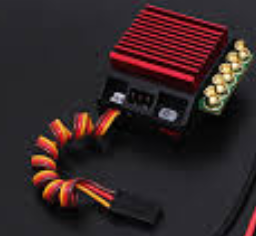
A little explanation about the features than this esc is supported with Continuous Current 150A / 950A Burst others are using Sensored / sensorless Operation can be used for 2 ~ 6S LiPo very compatible. This esc using the program with the support of 10 User Programmable Preset Profiles can make the setup was easy. too hot when you are no longer worried because Turnigy TrackStar 150A Genii is complete with Overheat Protection that automatically disconnects power when too hot.
the other is to monitor the motor from overheating so the motor will be protected from excess heat and many other features such as programmable Brake and Throttle Curves, and Turbo Boost Timing Adjustable, Adjustable Brake and Drag Brake, and PC programmable. just if you want a complete guide can be downloaded here.
be a true racer with TrackStar 150A Sensored ESC eighth Genii. and do not forget to keep visiting this blog to get the latest updates. before I forget USB TS also download v1.07 here because this link will be useful and very necessary in the setup TrackStar 150A Genii
Saturday, October 5, 2013
Emax 30a ESC User Manual

Emax 30a ESC User Manual - Emax 30A ESC typically used by remote control plane, the following is a guide to use when you feel the need can be found here. Observe your ESC temperature. if excessive heat immediately to remove the battery because if left esc will burn. it could happen not only at Emax esc alone but could for all models esc. usually battery specifications you give too high that could not accommodate the esc causing overload. below are some symptom that could have been inflicted on the esc if the specs is not suitable:
1. Eexcessive heat
2. Sounds that indicate an error code
3. Not respond when battery is connected
4. Heat on the cable
So hopefully Emax ESC 30A User Manual can be useful for you.
Tyrann 450 ESC Manual and Wiring diagram
 |
| Tyrann 450 ESC Wiring diagram |
Tyrann esc 450 can be used also for Lithium-Ion / Lithium-Polymer or Nickel Metal Hydride / Nickel Cadmium some extreme features include low output resistance, super current endurance. can do a cut-off if the voltage is low. Other protection is over-heat protection and throttle signal termination if the signal loss.
there are 3 start modes namely operating mode Normal / Soft / Super-Soft, so it is good for fixed-wing aircraft and helicopters. to throttle can be configured based on all transmitters currently available lots market. otherwise very fine esc, linear throttle response and precise transition. to support separate IC voltage regulators for microprocessors (except Pentium and Pentium-6A-10A), giving anti-jamming capability is good. that not all esc have this feature. to access the motor can support up to 210000 RPM motor speed for 2 poles, 70,000 RPM for 6 poles and the latter at 12 pole 35000 RPM. completeness of information Tyrann 450 ESC Manual and Wiring diagram you can find here
Subscribe to:
Posts (Atom)